Conducting successful online English lessons and engaging young students can be challenging.
Which factors make or break an online ESL lesson?
Many teaching strategies you’ve learned won’t work outside a physical classroom when you teach English online to kids. Online language lessons aren’t just about cracking open a textbook and lecturing for 25 minutes.
It’s your job as a teacher to make sure that each lesson finishes as a hit instead of a hit on your approval rating.
But worry not! Follow the 7 pro-tips below when you teach kids online — and your students and their parents will certainly book you again and again.
What’s So Challenging About Teaching English to Kids Online?
The first thing you have to do when considering an online teaching job is to understand the differences between having classes in a traditional educational environment and having them online.
They are two completely separate experiences.
Your TEFL course might have touched on online teaching a little, but it probably mostly focused on practical classroom skills. Those skills, however, don’t always translate from a physical classroom to an online one with the type of fluidity you might expect.
In an online setting, incorporating outside media, using physical objects, and involving kinesthetic learning methods will largely be unavailable to you as an educator.
You won’t be able to look over a student’s shoulder as they read or write. You also won’t be able to jump through the computer screen and have as many physical interactions with your students. And, of course, it will also be harder to discipline them.
It will be necessary to adapt and to improvise by coming up with new teaching methods, introducing different ways of checking for understanding, and developing innovative ways to keep your students entertained and engaged throughout class.
Furthermore, the way you plan your lessons will change depending on whether you only have one student or a group of eight students online.
Remember, the structure and audience of an online lesson will always influence the approach you should take.
For a successful online career, it’s so important to learn the most effective methods to teach kids English online.
The Key to Online Lessons is Student Engagement
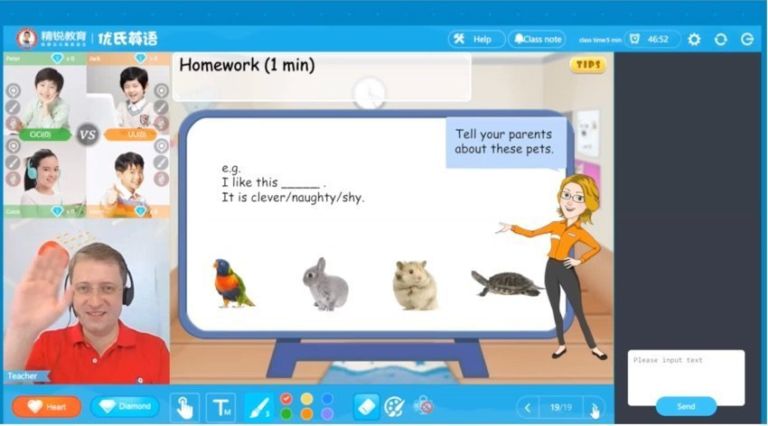
In the online TEFL industry, you will most commonly teach students ranging from about 5 to 11 years old.
Most bookings tend to be 25- to 45-minute one-on-one English sessions.
That gives you just enough time to make an impression, teach a few key concepts, and make the kid’s parents want to book you again.
The most important thing to remember about teaching English online, especially to young learners in a one-to-one setting, is that it’s imperative to make them feel happy and welcome in your classroom.
That means you must give them your full attention, always be pleasant and smile, and deliver quality work. By being kind and friendly, you make students feel comfortable engaging with you.
Student engagement is the most important part of the lesson. When students are active participants in your lessons, they won’t just learn more – they’ll also be more likely to book your classes again.
Let’s explore some methods you can use to get your little students to be more engaged in the classroom.
1. Show Up a Professional
Showing up to class hungover wearing last night’s outfit will quickly get you fired from a professional online teaching position.
Remember, your clients are children and their parents!
That means you have to be a role model at all times. There is an expectation that you will show up promptly to each class, smile, be well-groomed, and maintain a professional decorum at all times.
Keep in mind that each class that you teach is recorded and monitored.
Not only does the student retain a video copy of every class on their student dashboard, usually there is also a company employee reviewing each lesson for quality control purposes.
If a lesson starts steering into inappropriate territory or a teacher dresses unprofessionally, they will soon hear about it.
So do yourself a favor and make sure that a video or image of you doesn’t end up in your company’s employee training manual as an example of the things you shouldn’t do while on the job. (Yes, this happens).
Choose your wardrobe selectively. I would recommend dressing business casual at all times – or check on your company’s specific dress code.
Even though you’re teaching online, it is important to remember that this job is no less “real” than any other. Certain standards must be upheld, and every company has an image to maintain.
A smart, preppy blouse, a button-up shirt, a collared shirt, or a nice, clean polo work best.
2. Prepare Your Classroom
Keeping your background tidy yet visually interesting is key to creating a fun, professional environment for your students.
You don’t want your dirty laundry making an appearance in the background of your video. However, you don’t want your background to look totally boring, either.
Place maps, alphabet posters, or other fun, simple visuals behind you to create a classroom feel that adds some interest without distracting your students or looking messy.
Proper lighting and good acoustics are also essential to creating the right atmosphere for your classroom. Dim, flickering lighting or an echoey room can ruin even the best-planned class by ruining the atmosphere and creating distractions.
If necessary, buy a small, portable lamp to make sure the student can see you clearly on the screen. Sometimes, only using room lighting isn’t enough to illuminate your face on the screen.
Make sure your camera is positioned properly and centered in the middle of your screen.
In my opinion, students should be able to see you from the elbows up. That way, they can see your facial expressions and mannerisms. It also gives students a more comfortable feeling because it is more personal, almost like talking face-to-face.
Before each class, you should always make sure you know who your student is, how old they are, what their language level is, and what you’ll be teaching.
While most online TEFL companies do provide curriculum and online books to help steer each class in the right direction, you can supplement the materials given with little effort to take your classes over the top.
Incorporating props, knowing a student’s level before class, having an idea of a student’s interests, and brainstorming additional games or topics of discussion can really help enhance a class.
If you really want to have a great online class experience, show a student you went the extra mile by including props regarding the subject they chose or doing research on the things that they like to discuss: things like these can mean the difference between getting booked again or being forgotten forever.
4. Use Activities and Props
For a young learner learning about fruits, being sure to have flashcards of different types of fruit would be a great idea. If you have some of those fruits in your fridge, take them out and show the student.
Ask the student to describe the fruit and ask them questions such as “What do you think this fruit will taste like?”, “Do you like this fruit?”, “Do you eat this type of fruit often?”
There are so many games that you can play by incorporating flashcards or physical props while teaching English online to kids.
Just a few weeks ago, I had a class with a young learner about pets.
She really wanted a dog, but her parents weren’t convinced of the idea. During the lesson, I brought my puppy on screen, and we described what it looked like together, what tricks dogs can do, and where dogs like to go.
She was so delighted to see the puppy in class and left a wonderful post-class evaluation. I will be seeing the same student next week for another online lesson.
Many young learners are just starting to learn their numbers, colors, and ABCs. There is so much you can do to make those lessons more entertaining than simply reading from a book.
One of my favorite games to play when students are learning colors is “Find the Color”. It is basically a scavenger hunt where I tell the student to find something around them in the color that I ask for. They love to laugh and run around looking for the perfect item.
When teaching numbers, I always use stuffed animals to teach students how to count. My favorite game is “How Many Bears Do I Have?” The students count each bear, learn to describe them, create stories about each one, and solve math equations using them.
In terms of ABCs, most online providers offer tracing exercises and repetition exercises in each book. To make those lessons more fun, use the power of sound. If a student is learning the letter “A”, try to teach them how to say A softly, then at a medium sound, and then loudly.
When you turn tasks that can often be mundane into a game, students have the best time.
When I was younger, I always watched a cartoon about a group of superheroines who would fight evil with magic wands. At the time, those types of cartoons were relatively new. Now, similar shows are everywhere.
I try to take advantage of that by bringing my light up, magical toy wand that plays music. When a student answers a question very well or solves a difficult question, I turn on the magic wand and reward the student with a song and some horribly hilarious flailing. They love it!
If you’re looking for printable props for your classroom, we’ve got you covered. Download our free beautifully illustrated flashcards and worksheets to teach vocabulary:
Remember the importance of your body language. Smiling and maintaining a pleasant demeanor throughout class will make your students feel comfortable and welcome in your class.
Keeping your voice at an appropriate volume and pitch and speaking and slowly and clearly will also improve the quality of your class.
You can also indicate that you’re engaged in class by nodding to indicate that you hear what your student is saying and refraining from eating, drinking, or scrolling online during class. Use body language and gestures with your hands to help establish your points. Total physical response will help you engage students better and will aid in their understanding of the ideas you’re illustrating.
6. Always Have a Backup
When teaching English online, sometimes accidents happen.
Whether there’s a family emergency, a power outage, an internet issue, or an online textbook not loading, it’s smart to always have a backup plan.
Document everything. If there is a glitch on a website that you need for your lesson, take a screenshot of it. If a student is late for class or a no-show, be sure to record that in case that information is needed later.
If concerned whether or not a textbook will load, download it in advance.
7. Leave Actionable Feedback
As soon as you begin teaching your class, start taking notes about things you observe throughout the class.
If a student keeps mispronouncing a word or has trouble with a certain grammar concept, make a note so that you can remind them to work on it when you leave them feedback after class.
You should also correct mistakes students make during class so that they don’t get into bad habits.
However, it’s important to do this in a kind, positive way. Rather than telling them they’re wrong, simply demonstrate the correct way to say a word or sentence once they’ve finished speaking.
Pay attention to any notes left prior to the class about the student’s preferred correction style and help cater to their needs.
Once you have finished teaching your first class, you might think you’ve done all there is to do. Not so fast, though!
Your job is not over when the lesson ends. After each lesson, you usually have the opportunity to leave feedback for the student or their parents.
This feedback might seem like an unimportant, throwaway step, but you should put as much care into it as you put into your lesson.
Not only can the feedback help your students keep working on their English outside of class, it’s also a way to sell yourself and further set yourself apart from other teachers.
To be an effective online English teacher, it is important to list the positive aspects of the lesson and the student’s abilities. It is equally essential to reference all of the things that a student might have missed in the lesson, or the things that they must work on to improve their overall English abilities.
Be sure to use the sandwiching technique when giving feedback to the students. You want to be honest about your feedback but also delicate in your approach.
Always incorporate ways to improve in between positive sentences, offering the student praise. Always end each lesson memo with a positive sentence, thanking the student for coming to your lesson and stating that you hope to see them again.
Remember, when you teach English online to kids, you only have one shot to make a lasting, positive impression. What you do in your online lessons count.
It doesn’t take too much time to do, and the young learners and their parents always notice it – and often reward teachers for it by booking them again in the future.
One of the best parts of being an online English teacher is having the satisfaction of seeing your students improve throughout their time with you.
You may also realize you have grown as a teacher, too. So, teach, teach, teach – and remember, there is no perfect teacher.
What matters is getting the online English teaching experience you need and putting your best effort forward to grow in your skills.
So you’ve decided to teach English online to Chinese students – by the way, it’s a great idea: the demand is sky-high!
But you don’t want to start on your own, and you are not sure which company is right for you.
With tons of English teaching companies, it can be hard to figure out which one is best.
This post will discuss which companies are the best and the worst, breaking down the salary, teaching requirements, and teacher satisfaction at each.
It will also talk about what it takes to teach English online to Chinese students, as well as telling you what equipment you’ll need for the job.
The Benefits of Teaching English Online
Teaching English online to Chinese students is a great job for a few reasons:
Work is Abundant: Demand for online English teachers in China is huge, meaning that you’ll never be short of students.
No matter what your qualifications are, you’ll be able to find a job teaching that you can start now.
The job is flexible: You can work from home or on the go. As long as you have a quiet, well-lit space and a strong internet connection, you’re all set to teach.
You can set your own schedule: Choose the teaching time that works for you, and design a job that revolves around your life instead of vice versa.
This means that …
You’re in control of your salary: Feeling good about your finances? Want to take a vacation? Schedule fewer classes, or take a week or two off.
Crunched for cash? Just teach more! Open more teaching slots and watch yourself get scheduled.
You’re off the grid – your schedule, and your finances, are up to you.
It’s low-risk: Most of the tools you need to teach online you already have: a good internet connection, a white wall you can use for your teaching background, a friendly smile.
Because you don’t have to invest much to start your teaching career, you can try it out to see if it’s right for you before you quit your day job or spend a bunch of time or money.
Click to save this post to Pinterest
Finding the Perfect Teaching Company
The teaching market is flooded with companies you can teach for, which can make deciding where you want to teach overwhelming.
There are a few factors you should consider when deciding which company to work with.
Teacher Requirements
First, make sure the company you want to work with will hire you.
Some companies prefer teachers with certain accents (i.e. U.K. or North American).
Some places also only hire teachers who reside in or are citizens of certain places, due to payment and server requirements.
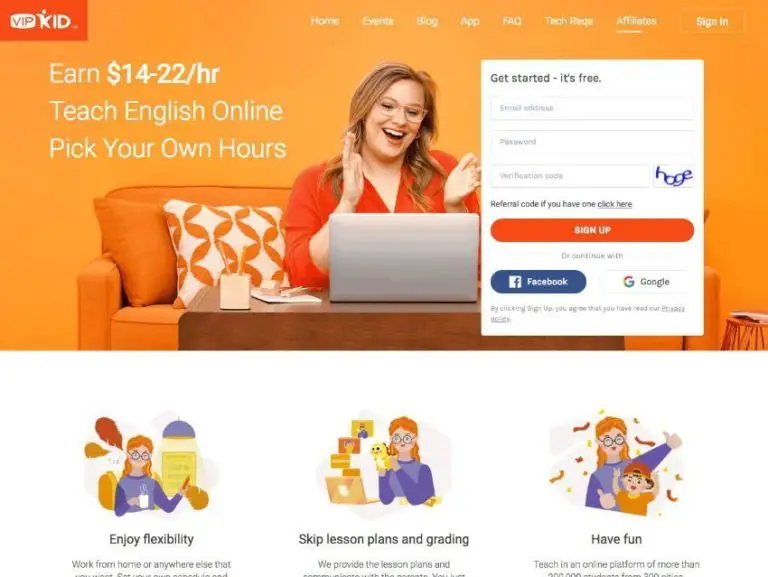
(Source: VIPKID)
Most companies require teachers to have a bachelor’s degree in any field and to be native English speakers. A TEFL certificate is also preferred, but not always required.
If you don’t have a bachelor’s degree or aren’t a native speaker, don’t worry. You may have to look a little harder for work, but there are companies that will hire you.
You’re probably thinking, “Great, I can get hired, but how can I choose the company that’s best for me?”
When comparing companies, you’ll want to consider a few factors:
Payment Model
Look at the salary range for the companies you’re considering, as well as how often you’re paid.
Are you paid per minute, per 25-minute class, or per hour?
Will you receive payment monthly or do you have to earn a certain amount before the company will deposit payment to your account?
Does the company use PayPal or another online payments system?
Make sure you won’t have trouble accepting payments to your bank account in your home currency – this shouldn’t be an issue with major companies.
Required Schedule
Companies vary widely in terms of how they schedule teachers. You want to make sure you choose a company that accommodates your needs.
Some companies require you to set a schedule and stick to it, and give plenty of notice if you want to modify it.
This model gives you less flexibility but usually ensures that you get paid for slots you have opened even if you end up not teaching during them.
Some companies give you control over your scheduling, letting you open and close slots until they’ve been booked, at which point you’ll be penalized for canceling because a student is counting on you to show up.
This model gives you ultimate control, but it can make it harder for you to get booked up at first.
It also can make it harder to commit to a teaching schedule if you’re not self-motivated because it’s easy to cancel classes and give yourself less opportunity to meet new students
Keep in mind that some companies have minimums on how many hours their teachers work.
You may have to sign up for at least 6 classes a week, for example.
Having minimum teaching hours helps you stick to a good teaching schedule, but it can also mean you have to plan in advance or give notice if you want to take a vacation where you won’t be teaching.
Working Conditions and Teaching Support
Read this, because this requirement is more important than it may initially seem.
You’ll probably want to work with a company that has good teaching support and a strong teacher’s community.
When you inevitably run into technical problems or have issues with students you’re teaching, you’ll want to have a community of fellow teachers that you can talk about your job with as well as professionals working for your company that can help you resolve issues.
Having good support will make your class run more smoothly, and it will help you make your classes better.
The Kind of Lessons You’ll Teach
Before signing with a company, consider what kind of work you want to be doing. Different platforms design different types of curriculums and cater to different kinds of students.
Most companies teach children and adolescents, but some work with all ages or only cater to certain populations, such as business people or high school students studying for standardized tests.
Consider also what kind of teaching you want to do. Do you want to converse, teach in a flipped classroom, or have complete control over your curriculum development?
Doing some research about different companies’ teaching styles and audiences will help you get a sense of which place is best for you.
The Best Companies to Teach English Online to Chinese Students
There are tons of online English teaching companies popping up all the time.
With all the choices out there, it can be hard to tell which companies are legitimate and which ones don’t have a clue.
Below, we’ll break down some of the most popular online teaching companies.
Applicant Requirements: Have a bachelor’s degree, the eligibility to work in the U.S. or Canada and one school year of teaching, tutoring, mentoring, or other educational experience
Note: Due to independent contractor laws, potential teachers who have California, New York, or Washington state residence can no longer sign with VIPKID
VIPKID caters to Chinese students between the ages of 4 and 12.
Teachers don’t have a minimum teaching requirement, although VIPKID recommends that teachers work at least 7.5 hours a week in order to maximize booking opportunities.
VIPKID provides teachers with lesson plans and a teaching platform complete with a points system, a feedback system, Powerpoints, and a conversation box.
Teachers don’t plan their lessons. Instead, they use VIPKID’s curriculum, which centers on the flipped classroom method of teaching.
VIPKID is a particularly great company to teach for because they have great teacher’s resources, including “firemen” that are always available to help out if you have problems in class.
For example, if you or your student run into technical issues, the fireman can help you. They can also help if either of you have trouble understanding technical things or if you have confusion about scheduling or lesson time.
Additionally, there’s a great teacher community for VIPKID. Teachers on online forums trade information about improving their classes, attracting more students, and creating classroom props. They also sometimes meet up for in-person gatherings of VIPKID teachers!
VIPKID also offers great personal development resources. They recently offered all of their teachers free TESOL certification. This certification can serve you well in getting other ESL jobs – online or in person.
They also offer lots of workshops and courses for improving teaching skills.
Teacher requirements: be a native English speaker from the U.S. or Canada, have a bachelor’s degree or be in the process of getting your bachelor’s degree; have a 120-hour ESL certificate
Teaching requirements: live in the U.S. or Canada, have a bachelor’s degree and a teaching license or English teaching certificate (like TEFL, TESOL, CELTA, ESL)
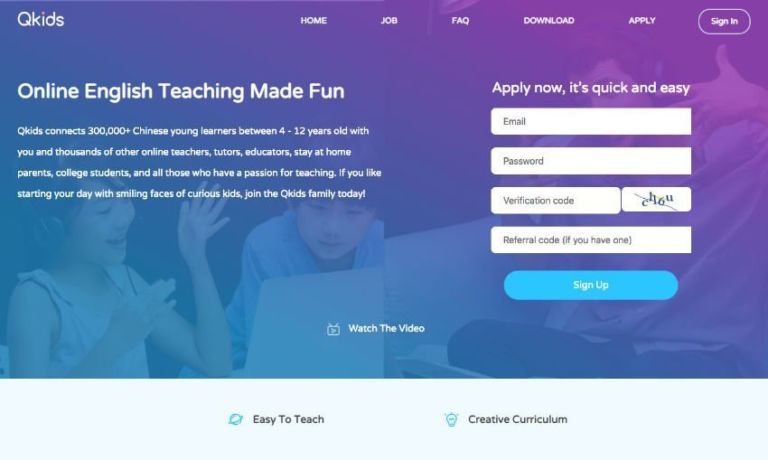
QKids has a 6-hour weekly teaching minimum, and requires teachers to have a bachelor’s degree and previous teaching experience.
If you teach for QKids you’ll have to work at least 6 hours a week, and your schedule will be set weekly. You’ll teach 1-4 students in each lesson.
QKids pays teachers $16-$20 an hour, including base pay and bonuses. You’ll receive half pay for lessons where the student doesn’t show up with QKids, and you’ll receive payment for classes you teach during the interview process.
QKids is an attractive company because it offers a competitive salary and, unlike many companies, compensates teachers for their classes during the interview process.
However, their scheduling is less flexible than some other places.
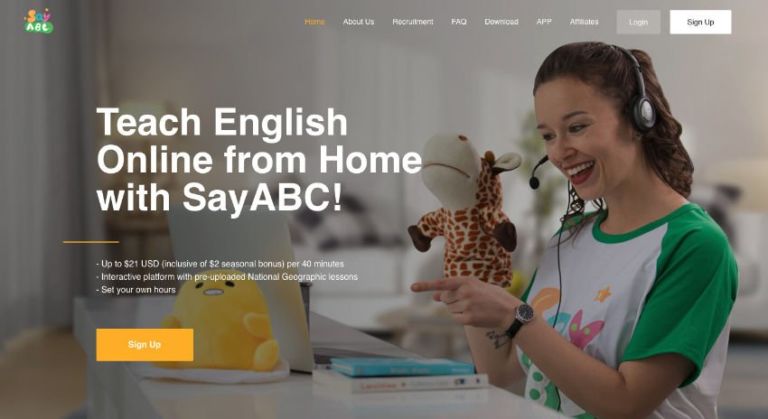
SayABC serves Chinese students aged 5-12. Teachers teach 40-minute classes to 1-6 students at a time.
SayABC has laxer teaching requirements than some other companies. Unlike many companies, they don’t have citizenship requirements for teachers.
However, while teachers used to be able to apply even if they didn’t have a bachelor’s degree, due to changing Chinese government requirements they now require all teachers to have at least a bachelor’s degree.
The biggest complaint SayABC teachers have is of having inconsistent bookings and sometimes not getting as many classes as they’d like.
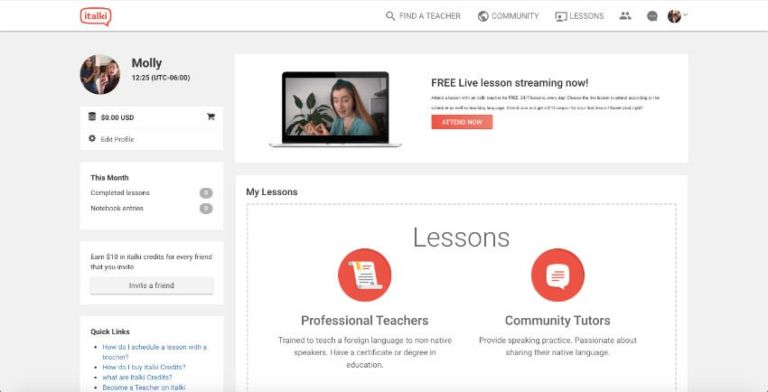
italki is a great company to work for if you want lots of control over your teaching practice.
Anyone over the age of 18 can work for the platform as a Community Tutor, although Type 1 Teachers need a bachelor’s degree and references and Type 2 Teachers need a teaching license or ESL certificate.
Tutors on the site set their own pay, curriculum, and schedule, and italki collects a commission on your pay.
The site is basically just a platform that connects tutors with students. italki doesn’t have its own teaching platform. Teachers are allowed to use whatever platform they want, although most of the site’s lessons are conducted through Skype.
If you’re self-motivated and want to put the work in to really build a teaching practice, italki may be for you.
However, if you want to jump into a structured program that requires less work, you may want to consider a more traditional teaching platform.
Teacher requirements: Be a native English speaker with a neutral accent, have a bachelor’s degree, have experience teaching or tutoring and experience in the U.S. or Canadian educational system
Teaching requirements: be a native English speaker from the USA, Canada, or UK; have a bachelor’s degree; have a TEFL/TESOL certificate; have one or more years of prior online teacher experience
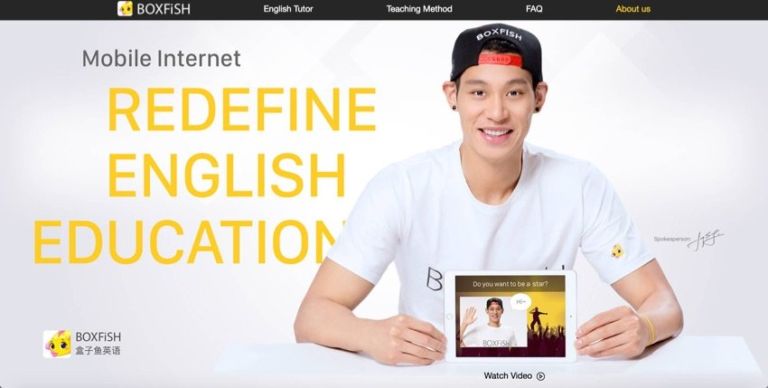
Consider a job with BOXFiSH if you’re a native English speaker with a bachelor’s degree!
The company pays $22-$24 an hour. If a student doesn’t show up for class, you’ll make 60% of your normal salary, which is higher than what most companies offer.
BOXFiSH teachers work with Chinese students from kindergarten to grade 12. The company offers 25-minute one-on-one classes and group classes with up to four students.
They also offer 5-minute review classes, during which teachers assist students in reviewing lessons that the students have learned independently.
BOXFiSH gives teachers lots of flexibility in creating their teaching schedule, like VIPKID does.
BOXFiSH also lets teachers conduct class via app, unlike many companies. This offers teachers more flexibility in when and where they can give lessons.
Many teachers like the company because it offers a good salary, a flexible teaching schedule, and a generous cancellation policy.
Teaching requirements: No requirements apparently (from what it looks like on their website); it seems like you do need to be a native English speaker, according to OET
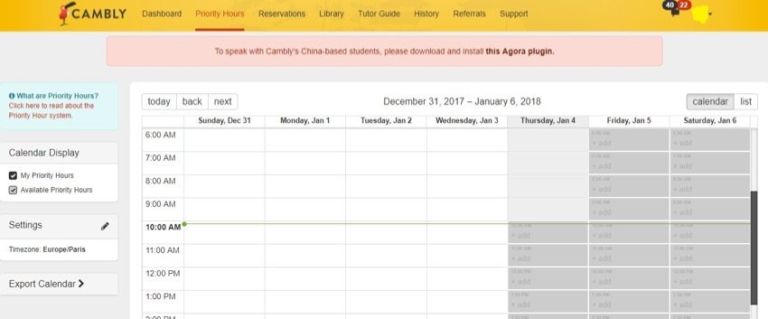
Salary: $0.17 per minute or $10.20per hour; $0.20 per minute or $12.00 per hour on Cambly Kids
Cambly tutors make $0.17 a minute, which works out to around $10.20 an hour. If you opt for the Cambly Kids option, you can make 3 cents more a minute, which works out to $12.00 an hour.
The company seems to require its employees to be native English speakers, but doesn’t require tutors to have prior experience or even a bachelor’s degree.
As a Cambly tutor, you’ll chat with students rather than teaching formal lessons. You can choose to teach either children or adults.
Cambly gives you lots of flexibility and has a low barrier to entry, but it also pays less than many other companies.
UUabc has a four-hour minimum weekly teaching requirement.
The company doesn’t require applicants to be native speakers, so long as their English is clear and fluent.
If you work for UUabc you’ll use their provided materials to teach Chinese kids individually or in groups of four.
The company seems to offer pretty competitive pay, but it’s less established than other companies, which means you may not have great teacher support or steady working hours if you decide to teach for them.
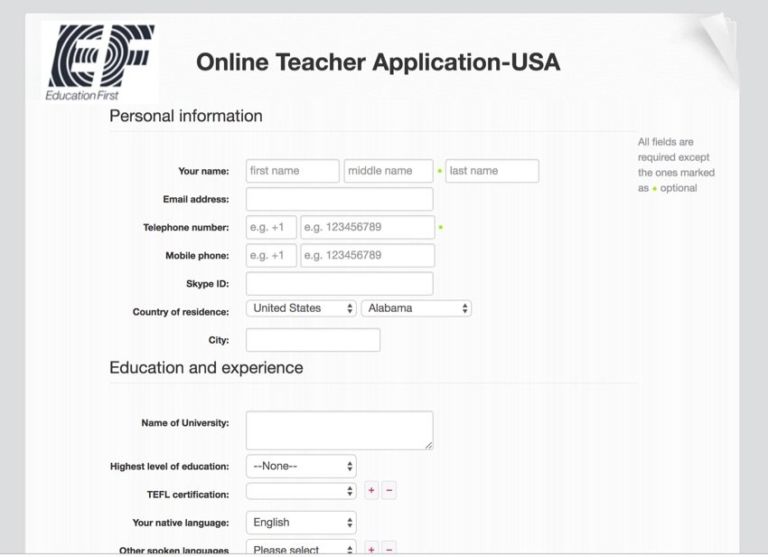
As a teacher with EF, you’ll get to work with either children or adults, although most of the company’s students are adults. You may teach students 1 on 1 or in groups of 6-8.
EF teachers are given all the teaching material they need for class.
Teaching requirements: English speaker at an idiomatic level; teaching license, TEFOL/TESL certificate, or equivalent, bachelor’s degree, teaching experience
Salary: Not listed on the company website (Glassdoor reports pay ranging from $8-$17 per hour)
As a teacher with iTutorGroup, you’ll need to commit to teaching during 6 peak hours per week. Other than that, though, you’re free to set your own schedule.
So, while you’ll have less flexibility than you would with some other companies, you can still make your schedule work for you.
As an iTutorGroup teacher, you’ll be able to work with children aged 5-18 or adults aged 18_. The company provides all the materials you’ll need to teach!
iTutorGroup, doesn’t offer information about teacher salaries on its website.
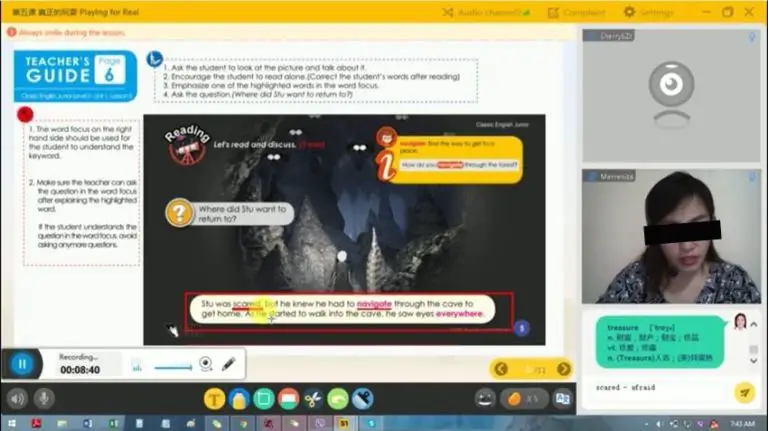
DaDa (formerly DadaABC) is a platform for teaching children aged 4-16 English one-on-one.
Classes are 30 minutes long and teachers must teach for at least 10 hours a month.
Some teachers really love working for DaDa. However, others complain about not getting paid on time, and its lack of flexibility and transparency makes it less attractive than other companies.
LIKESHUO (out of business)
LIKESHUO Teaching Portal
Teacher requirements:
Native English speaker
Bachelor’s degree
Salary: Not listed on the company website (OET Jobs reports $16-$25 per hour for teaching children and $10-$18 per hour for teaching adults)
Glassdoor rating: 1.0 out of 5 stars
LIKESHUO splits their online English teachers into three levels based on experience and credentials. Requirements vary based on level.
The company requires most of its teachers to work at least 30 hours per month.
This company has scant information available and online and has a poor rating on Glassdoor. Some have reported having a good experience working with them, but overall, it seems that this might not be your best bet.
What Are the General Requirements to Teach English Online?
Being an online English teacher is easier than you think! All you need are native-level English, a bachelor’s degree, and a friendly attitude!
What English Abilities Do You Need?
Most online English teaching companies require their teachers to be native speakers. Some also require teachers to be from specific countries. For example, VIPKID requires its teachers to be from the U.S. or Canada.
Keep in mind that there are companies that only require that their teachers have a native level of English.
Does “Teaching Experience” Mean You Have to Be a Classroom Teacher?
Many companies don’t require their teachers to have prior teaching experience. However, if you have teaching experience or a TEFL certificate, you’ll be a more attractive candidate and may even be offered a higher starting salary.
Some companies do require teaching experience, but don’t worry. Often you can count tutoring, camp counseling, childcare, or leadership roles as prior experience.
Employers just want to know that you’re good with children and are able to be an educator.
What Personality Traits Will Help You Teach English Online to Chinese Students?
Perhaps the most important part of becoming an online ESL teacher is your personality.
To really shine through the screen and teach effectively, you should be a lively, fun person whom students can relate to and feel comfortable around.
In your interview and mock class, your employer will want to see you use TPR (total physical response). That means talking with your body as well as your voice, using gestures and signals to indicate that you’ve heard the student and to illustrate concepts.
Don’t be afraid to be expressive and let your personality shine through. Your employer will love it, and so will your students!
Can You Teach English Online Without a Degree?
Most companies require all of their teachers to have a bachelor’s degree or above. However, some do accept students in their last year of university or applicants who have an associate’s degree.
Additionally, some teaching marketplaces allow anyone to teach on their platform.
Do You Need TEFL Certification?
Most teaching companies don’t require teachers to have a TEFL certificate. However, some teachers do require teachers to have a TEFL/TESOL certificate, and others offer teachers who are certified higher base salaries.
A TEFL online course is a good option even if you don’t work for a company that requires its teachers to be certified, because the course will give you teaching skills and will look good on your resume generally.
Some online teaching companies, like VIPKID, offer free teaching certification to their teachers.
What Equipment Do You Need?
Besides CV requirements, you need a few technical requirements to be an online ESL teacher.
You probably have most of what you need, and everything else is pretty easily attained. Here are the physical requirements for teaching ESL online:
Internet Connection
Since your classes will be delivered online, you’ll obviously need a good internet connection to teach online.
Some companies ask teachers to have a wired internet connection to ensure stability, but overall you should be fine if you can Skype and do similar tasks easily with your internet connection.
You can also check different platforms’ websites to see their specific requirements for internet speed and system requirements.
System Requirements
Many companies require you to have at least 4 GB of RAM, as well as a newer OS.
If you have a reasonably new Mac or PC you should have no issues, but check specific websites tech reqs to make sure your current computer is up to snuff.
Your classroom should have good lighting and be somewhere quiet.
Choose a room where you can close the door, and if there isn’t good overhead lighting make sure you have plenty of lamps. You can even buy studio lamps to better light your classroom.
Make sure you’re lighting yourself from the front and that the whole room is well-lit to avoid weird shadows or too much darkness.
Do You Need to Bring Your Own Lesson Plans and Worksheets?
Most companies provide you with all of your teaching materials, meaning you don’t have to do any curriculum planning or prep!
Some companies, however, do require teachers to create their own lesson plans. EF and italki, for example, give teachers the freedom to create their own lessons.
No matter what, there are a few items that you’ll want to prepare in order to make your classroom livelier and your lessons more engaging:
Teaching Background and Props
One of the most fun parts about teaching online is creating your classroom. You’ll want a fun, educational teaching background to keep your students engaged.
Lots of teachers like to decorate their classrooms with alphabet charts, points boards, and other fun wall hangings that attract students attention and help create an educational setting.
Teaching Props
Props help your students understand what you’re teaching, and they also keep them entertained during lessons.
You can use flashcards, realia, and other objects during class. Funny hats, puppets, pictures, and toys will also help you illustrate your lessons. Your students will also love seeing what wacky props you have in store!
Most companies allow you to set your own schedule. Some require you to keep a schedule that you set every week or month, while others let you open and close teaching slots at any time until they get booked.
Some companies having minimum weekly or monthly teaching requirements, while others let you teach as much or as little as you like.
A minimum teaching requirement can help you make sure you’re teaching enough classes to make good money, but it can also make planning trips or taking vacations harder.
Also, even though you can set your own schedule, you’ll still be tied to students’ schedules. As a teacher in China, you’ll have to work when students are around to take classes. Peak class times are in the Chinese afternoons, which means that you’ll be teaching late at night or early in the morning depending on what time zone you’re in.
How Much Is The Pay?
How much you’ll make depends based on what company you work for, but most teaching platforms pay somewhere between $10 and $25 an hour.
Your pay will probably include your base salary as well as incentives for things like starting class on time and hitting a certain number of teaching hours per month.
If you work for a teaching marketplace, you may be able to set your own salary.
What’s the Application and Interview Process Like?
The process of applying to teach English online varies based on what company you’re applying to, but most companies have roughly similar application processes.
You’ll most likely start the process by filling out an application form where you give some basic information about yourself, like what country you’re from, what your education level is, and whether you have any teaching experience.
Next, you’ll do a video interview with someone from the company – either an employee or another teacher. You’ll probably just talk a little with them and go over a few of the things from your resume.
After the interview, you’ll have one or two demo classes. The company will give you some materials to review, and then you’ll use them to teach a mock class to a teacher for the company. The teacher will grade your performance and give you feedback for how you can improve.
During the interview and the mock classes, make sure you look your best, speak clear, fluent English, and are enthusiastic, collected, and prepared. This is your chance to show the company how great of a teacher you are!
After the mock classes are over, you’ll most likely receive notice that you’ve been hired! You’ll be offered a starting salary, and if you accept it you’ll sign a contract for somewhere between 3 months and a year.
After that, you’ll create a profile on the website and start teaching!
Can You Teach English Online While You’re Traveling?
YES!
However, make sure that you’ll have a quiet classroom and a stable internet connection before you start adventuring.
You can set up a classroom anywhere that’s bright and quiet: a hallway, a broom closet, a bathroom, whatever. If there’s no strong wifi, though, you’re out of luck.
You also need to be extra disciplined if you’re planning on traveling while teaching. Keep track of time change differences and scheduling to make sure you don’t accidentally miss class and get penalized.
You Don’t Speak Mandarin – Can You Still Teach English Online?
YES!
Most companies center on an immersion-based language curriculum, encouraging students to hear, speak, and think in English during class time. You won’t be required to speak Chinese at all.
Using props and body language will help you convey ideas to young learners without speaking the same language as them. And you’ll be surprised by how well many students speak English!
What’s it Like to Teach Chinese Students Online?
There are some bad misconceptions floating around about what it’s like to teach Chinese students. Don’t listen to stereotypes: your students in China are probably pretty much just like the people you know in your home country.
Teaching will be a little different depending on what age group you teach. Think about what kind of students you want to teach, and then apply to a company that caters to that group.
Children
Teaching kids is super fun, but it can be draining, too. When you teach children you’ll want to speak slowly, use lots of fun props, and make class interesting and exciting. If you’re bubbly and high energy, you’ll love teaching children!
However, if you’re more serious or staid, you may want to consider working with older students.
High School Students
High school in China can be pretty intense, meaning that your students may be totally slammed with work. They’ll probably pay attention well in class and have good English skills, but they may not give your ESL classes as much attention as you’d like because they have so much other work to do.
Pre-College Students
Students who want to go to university in the U.S. need to pass a language test in order to get admitted to school.
You need to be familiar with CELTA, TOEFL, or other tests to teach these students, but if you’re good at teaching to these tests you can make a pretty high salary.
Keep in mind, though, that teaching to a test is more stressful than other types of teaching because your students are relying on you to get into university.
Adults
Adults take English lessons for a number of reasons. Some simply want to practice their English, while others are specifically looking to learn English for business purposes.
If you’re teaching business English you can make a lot of money because it’s a niche field.
Teaching regular adults is also rewarding because you can develop a good relationship with an adult language learner. They’ll probably also be vocal about what they want in their lessons, making for a more collaborative teaching process.
Is Teaching English Online to Chinese Students Right for YOU?
Teaching English online is a lucrative and flexible job, but it’s not for everyone.
Thankfully, applying to teach online is pretty low-stakes, but you might want to consider whether the job is right for you before you apply.
Here are some traits you should have if you want to be an online English teacher:
Be Self-Motivated
There’s high competition in the online teaching market. Therefore, you should be able to market yourself and persevere to ensure that you get a good student base and regular lessons.
You also need to be able to set and stick to your own schedule, and to wake up early or stay up late to teach.
You’ll be on your own when you teach online. Although this gives you a lot of freedom it also means that you need to be your own boss in lots of ways. No one is in charge of you but you.
Have Thick Skin
Teaching online is a lot of fun, but it’s also a wild job. You might get bad reviews from parents, or have to deal with unruly or even mean students.
Being able to roll with the punches and bounce back from criticism will help you keep going even when the job gets tough.
Be Personable
Your personality is your biggest asset when you’re teaching online. Being able to captivate students, even students who are distracted or don’t want to be in class, is what separates great online teachers from poor ones.
If you are happy and have a sparkling personality, your students will love you and their parents will too. And you’ll probably have a great time teaching if you’re smiling, too!
Online Teaching Might Just Be for You!
If you think you meet these requirements and you love teaching, children, or interacting with people from different cultures, then online teaching is perfect for you!
The job is mobile, person-to-person, and flexible. If that sounds like a great setup, then don’t hesitate… apply to teach English online now!
Every online ESL teacher wants to increase their bookings – but only some teachers have what it takes to consistently fill all their slots.
If you want to be a top-tier ESL teacher, there are a few things you definitely have to do to max out your bookings and provide consistently good classes.
Intrigued?
Here are some best practices you must follow to be an A+ online ESL teacher:
Be Punctual
Have you ever made plans with a friend only for them to show up 15 minutes late, sweaty and apologizing?
I bet waiting on them was pretty frustrating. When people show up late we feel annoyed and cheated out of our precious time, and that’s all the more true when we’re paying them.
As an online teacher, it’s imperative that you’re always ready for the start of class. After all, it’s not like you can act like traffic held you up between your kitchen and the computer.
Dress to Impress
Make sure to dress appropriately for your lessons. You don’t have to go all out for your online classes or anything – a clean solid-color t-shirt or sweater and combed hair should generally do the trick.
Just make sure you look neat, presentable, and professional, and that you obey any company policies regarding appearance.
Have a Plan
You should go into every class having an idea of what each part of the lesson will consist of and having materials prepared for each part of your lesson.
Most teaching platforms give teachers lesson plans, meaning that most of the heavy lifting is done for you – all you need to do is prepare any relevant props and rewards and review the lesson material ahead of class.
If you’re creating your own lesson plans, it’s not enough to think through each individual lesson – you need to think about the arc of each student’s learning over time.
Your curriculum should help your students build on what they’ve previously learned and solidify new information, and it should be clear to your students themselves how they’re progressing and building toward goals in your lessons.
Creating curriculum that builds on itself and leads toward tangible goals will help your students learn more, and it will also make students feel more motivated and confident in their learning.
Pick the Right Material
It’s important that your lessons are tailored to your students: that they’re tailored to their age level and ability, of course, but also that your lessons speak to your students particular interests.
For example, if you’re teaching a student who’s obsessed with trains, you could have them read passages about trains, use trains in examples, or use toy trains as rewards.
You don’t need a trillion dollar laptop and space age headset to teach online – after all you’re holding English lessons over video call, not commanding the Hubble Space Telescope.
You do, however, need a setup that’s reliable and sturdy. You don’t want your laptop dying halfway through a class or your microphone crackling while you’re trying to teach, for example.
Investing in some decent teaching equipment now will save you headaches and potential embarrassment down the line.
Speak to Their Level
How quickly you speak, how much you enunciate, and what kind of vocabulary you use should all be dictated by the level and ability of the student you’re teaching.
If you’re teaching total beginners, it’s important to speak slowly and clearly, enunciate each word, and use simple vocabulary that they can understand. It’s important to accommodate your students as they develop their listening ability and build a foundation in English.
After all, never learn how to ride a bike if you don’t take the training wheels off at some point!
Don’t Miss Classes
Everyone misses class once in awhile: emergencies arise, power outages and wifi mishaps occur, and sometimes that pesky alarm clock just doesn’t go off.
When unavoidable hiccups happen and you just can’t make it to class, don’t worry: your students and the people you’re contracting with will understand. After all, they’re human too.
However, it’s super important to not make a habit of missing classes.
Doing so will make you seem unreliable and uncommitted, and it’ll give you less leeway if and when you have to miss class for legitimate reasons.
Handle Cancellations Well
Over the course of your teaching career, students will occasionally miss class (or show up late).
If you teach for a platform like VIPKID they’ll help you handle lateness and missed classes, but if you teach independently you should have a firm policy in place so that students know the consequences of cancellations in advance.
You can of course be lenient with students and evaluate cases according to each student’s track record and their unique situation.
You don’t, however, want to be stuck arguing with students about whether they owe you payment after they cancelled class 5 minutes before it was supposed to start for the third time in a row.
Have a Backup
You don’t want to be caught with a malfunctioning headset at the start of class, and you want a poor wifi connection even less.
Having good supplies is key to creating smooth lessons – check out this buying guide if you’re looking to upgrade your classroom.
Having extra supplies on hand is even better.
Investing in a backup pair of headphones, a backup computer charger, and perhaps an ethernet cable or some other alternate means of connecting to the Internet will help you ensure that every class goes off without a hitch.
Hone Your Technical Know-How
You’ll need to troubleshoot problems on your end during class, sure, but your students will also doubtlessly run into problems with your teaching platform.
Knowing enough about the platform and basic computer info to help a student restart their router, reload the webpage, unmute themselves, or angle the camera to their face will save you time and a headache.
And you’ll appreciate not having to call for an intermediary every time a small problem arises.
Create an A+ Environment
The most important components of a great classroom environment are a private, quiet area to teach in and good, bright lighting.
Once you have those components, you can start worrying about cutesy backgrounds and props.
But in the end, it doesn’t matter how many killer teaching tools you have if your student can barely see them, or if there’s so much background noise that it’s hard for them to hear you.
When you smile, you come off as friendlier and happier, which will make your students feel more at ease in class and in turn encourage them to feel more comfortable taking risks and speaking more.
You don’t need to ham it up as much with older students as with younger students, but a pleasant demeanor will go a long way with students of any age.
And the more you practice smiling during class, the more it will come naturally to you!
Use Props
Props are a relatively inexpensive investment that make a huge difference in the quality of your lessons.
They can add a bit of fun to class, which helps engage younger students especially. They can also help you easily explain concepts that might otherwise be difficult to convey.
Whiteboards, flaschcards, and “realia” (i.e. using a real or plastic apple when you’re discussing fruit) are all great props. You might also invest in a puppet to demonstrate dialogue or a toy microphone to signal who should be speaking when.
Props don’t just add fun to lessons – they also show that you’ve put thought and preparation into your lessons.
I’ve had more than my fair shares of scheduling mishaps – forgetting I have a class scheduled until five minutes before it starts, running home to make it to class on time, or showing up a minute late to a class I totally blanked on.
Now, I’m totally on top of my class schedule.
I double check my schedule for the following day every night before I go to bed and close any early morning slots that haven’t been booked because I know I’m not going to wake up to check to see whether I had a short-notice booking at 4:30 am.
I also check my teaching schedule anytime I schedule something, closing bookings the morning after I plan on going out or on travel days and not scheduling activities if I already have classes booked.
Managing your schedule like this will become second nature once you’ve been teaching for awhile, but it’s important to start cultivating these habits early.
Assign Homework
If you teach with VIPKID or a similar company, you don’t need to worry about this step! The teaching platform will assign homework and the student’s learning partner will check it – all you have to do is teach class.
If you’re teaching independently or through a tutoring marketplace, though, you’ll want to assign homework to help your student concretize the information they’re learning and progress faster.
Homework also helps your students come to class more prepared, which makes lessons go more smoothly, and it gives students a sense of control and accomplishment.
Stay Up-To-Date
Join forums, message boards, and Facebook groups (like ours!) to stay up-to-date on the latest teaching developments.
Being ahead of the curve will help you teach effectively and stay in demand!
Just Keep Chugging!
If you take these tips to heart, you’ll be on your way to getting full bookings in no time.
And remember: you’re on your teaching journey and you’ve made mistakes along the way, don’t worry! Everyone has missteps while they’re learning, including your students – and including you.
The more classes you teach, the more you’ll learn how to prepare and make every class a smash hit.
Interested in teaching English through VIPKID? Click my referral link and apply today!
When you want to teach English online, getting hired by a company seems to be the easiest way to start your career.
But after a while…
You might become tired of teaching the same beginner lessons over and over again.
Or maybe you’ll want to start looking for opportunities to make more than roughly $15-20 per hour.
Have you ever considered starting your own independent online teaching business – having the freedom to set up your own curriculum, schedule and price model?
In this post, you will learn what it takes and how to get started.
Should You Teach English Online Independently?
Running your own online teaching business is a lot of hard work, and it’s definitely not for everyone. However, if you do go down this path, you’ll find yourself with a sustainable career that gives you flexibility, creative control, and life skills, not to mention a sizable income.
If you have good credentials and can tutor in business English or help students prepare for the TOEFL, IELTS, SAT, or other tests, you can charge a lot of money and will undoubtedly get good business.
If you spend 20 hours a week tutoring in a specialized area at $50 per hour, you’ll make $4,000 a month!
But teaching English independently doesn’t just require good teaching and curriculum development skills.
It also requires you to be self-motivated and unafraid to put yourself out there, to have good entrepreneurship as well as be able to market yourself effectively, manage your finances and your schedule, and take care of nitty-gritty details like paying taxes, figuring out cancellation policies for students, and maintaining a website.
Teaching ESL independently is undoubtedly rewarding. It makes you your own boss, gives you the ultimate freedom and flexibility, and gives you the opportunity to design your curriculum independently.
Keep in mind, you can always teach English in more than one place. For example, you can schedule classes with a major ESL company and practice your teaching skills while you work on your own teaching business and build up a client base.
These are the relevant pros and cons to consider when deciding whether to follow this route:
The Pros
Running your own teaching business gives you control over every aspect of your teaching practice, so you’ll never be subject to the whims of a major company.
You can build up a good reputation and grow a loyal customer base.
Once you’ve become established, you can cooperate with other teachers, help new independent teachers start their own businesses, and even hire teachers to work for you.
The Cons
Running your own business is a LOT of work: administration, marketing, sales, payment, and troubleshooting are all up to you.
You’ll need to put a lot of effort in before you start seeing results.
You assume all the risk, financial and otherwise, for your company.
Most teaching companies have a section based in the country where their students are and have staff that communicates with them in their native language. As an independent teacher, you have no support, so all communication, including fielding complaints, is up to you. This may be challenging if your students’ English isn’t great and you can’t communicate with them in their native language.
7+1 Steps for Starting Your Own Online Teaching Business
Starting your own company can seem totally terrifying, and with good reason. It’s a lot of work, and the responsibility for all of it falls on your shoulders.
It’s important to make a plan and strategize so that your teaching company is stable and well-run.
Here are a few tips that will help you create a successful online teaching company.
1. Choose your Specialty
Before starting your independent business, you need to set clear goals for what you want it to look like. You should figure out what specifically you want to teach, who you want to cater to, and what teaching methods you want to use.
Do you want to teach IELTS prep classes to Chinese college students or do you want to teach conversational English to kids in South Africa? Will you give students material to study on their own before class and then review it with them? Find your niche and work to excel there.
Look at what other teachers with similar experience and specialties as you charge to help determine what a fair price point for your lessons looks like.
You may also want to consider whether you want to sell class bundles, have free trials, or offer promotions.
You’ll also need to write up a student contract that details pricing and your class cancellation policy.
3. Build your Class
Create a model for curriculums including long-term plans and individual lesson plans.
You’ll probably want to modify it to fit individual students once you get to know their language levels and learning styles, but you need to build off of a strong model. This is, after all, the meat of your business.
You should also collect teaching resources, including any materials or textbooks the students will need, props for your classroom, teaching backgrounds, and more.
You’ll need to set up your classroom space, including a headset, a high-speed internet connection, and a quiet, bright teaching environment.
Lastly, you should figure out which platform you want to teach through. Whether it’s Skype or something more sophisticated, it should be easy for both you and your students to use.
This is an absolute must for your teaching business.
It’s not hard to make a website: WordPress, Wix or SquareSpace all make web design easy for anyone to do, no technical skills required.
Your website should feature information about you and your teaching model, including an introduction video and, if possible, student testimonials. It should also include contact information and information about how to sign up for classes.
You can advertise free teaching resources and a free trial class on your website to generate business.
5. Promote Yourself on Social Media
Use social media sites, teaching forums, and YouTube to advertise your company and build a name for yourself. You can write blog posts and use SEO methods to make your company more visible.
6. Set up a Payment Process
You can use PayPal or another payment platform to collect money from students.
Because you’re teaching internationally, you’ll want to make sure it’s easy for students to transfer money to you from a different currency.
If you’re living in China, you may also consider conducting payments through WeChat Pay or Alipay.
7. Always Keep Pushing Yourself
You’re never done building your online English teaching company.
In order to keep your company ahead of the curve and attractive to customers, you should work to constantly improve your business by working on your lessons, marketing, and website.
Once you’ve established your online teaching business, you can profit off of it and benefit by selling video courses on how to teach, as well as model lesson plans, marketing strategies, and other resources to help other teachers.
Also, you can sell premade courses to ESL students.
Once you’ve made these resources for sale you don’t need to do anything besides a little advertising to make money from them.
Do you want to teach English online to Japanese students from home?
Maybe you’re interested in the culture, the people or you’re learning the language and want the chance to use it in class.
But where do you find them online? And once you get a trial lesson, what do you teach them?
This article gives you all you need to know about finding your new Japanese students, considering their needs when planning lessons and some of the cultural differences you may need to deal with.
Let’s go!
The Best Online-Platforms to Teach English to Japanese Students
You will likely meet Japanese students on the same platforms you teach many of your other students.
These are online marketplaces, where you can create a teacher profile and students can book a lesson with you. Basically, you are free to set your own hours and rates.
For every book lesson, the platforms take a cut of your rates.
The three most popular online teaching platforms, and some of their pro and cons, are:
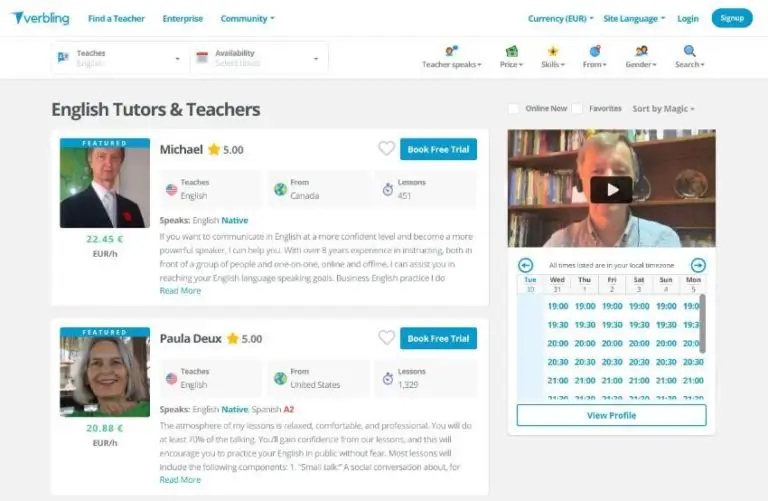
Verbling
On Verbling, teachers retain a higher percentage of lesson payment but there are fewer students available than other options.
They also include any required teaching tools such as video call, whiteboard etc on the website which makes things easy.
Platforms That Specialise in Teaching Japanese-only Students
As well as these, there are dedicated companies that specialise in teaching Japanese-only students.
Bear in mind that these websites are aimed at Japanese natives. As such, the websites will usually be in Japanese.
Some offer an English language option but for others, you will need to know the language to a certain degree (or be happy using a translator!)
How to Navigate a Site Without Knowing Japanese
If you don’t know Japanese then there are two ways to make a website decipherable.
Change the Website Language
Look for a box that says “日本語”. This means “Japanese” and is where we will change the language.
After clicking on this box, search for “英語”. This means “English” and after selecting this option you should get the website in English (if this is an option they offer).
Use Google Translate
Search for the website in Google
Look for the option next to the website that says translate.
After selecting this, google will take you to its own translation of the website. It won’t be perfect but it will be good enough to make your way around.
Ok, so now we know we know how to read the websites, let’s compare them:
I have experience teaching on Eigox and it has its ups and downs.
The positives are that the lessons are fairly relaxed, most of the time it is a free conversation and when it isn’t you are provided with a lesson plan and all of the materials.
The pay is fairly decent (around $13 an hour) and you are free to set your own hours.
The negatives are that there isn’t a massive amount of work, there is no way to synchronise the calendar with anything else so you have to update your hours each week if you take lessons elsewhere.
They also have a cancellation policy where if you have to cancel a lesson then you not only forfeit payment for the class and are put on the watch (fair) but you also have to pay the cost of the class!
I had this happen once after a double booking occurred (I hadn’t updated my schedule on Eigox). I had to cancel the class and when I found that I would have to pay out from my next paycheque I decided that it wasn’t for me.
Not the worst available but certainly not the best. The website also isn’t one of the most professional, there are more than a few spelling mistakes to be found.
That being said, the entry requirements are fairly low (preferring one year of teaching experience) and their emphasis seems to be on teaching children so another bonus if you are wanting to specialise in that area.
I would say that you don’t want to stay on this platform forever but it looks like an accessible job if you are just starting out.
Ecom looks to be one of the more higher-end companies.
Their focus is on quality over quantity and as such require more experience (2 years) but for higher pay ($16-20 an hour).
Their focus is on business English as well as exam preparation for IELTS, TOEFL etc. Most of their students are businessmen.
One of the disadvantages (at least for myself) is that they are looking for people who can commit to 20 hours a week.
This is great if you are looking for a sole “employer”. However, for those that have other students and are looking to supplement with a few extra hours, this may not be ideal.
Another drawback is that they seem to be a lot more popular amongst teachers than the others. A great sign that they are a quality platform but it means the likelihood of getting a spot is reduced.
Go after this one if you have a bit of experience but getting in may prove a challenge!
What Are the Logistics for Teaching English Online?
There are a few things that you will need to bear in mind when working with Japanese students (and companies).
Technology and Workplace
The first thing if you haven’t got set up already is the hardware. You will need a computer connected to a decent speed internet connection. The internet speed doesn’t need to be the fastest but it does need to be stable.
You will also need a headset and webcam (if one isn’t already built into the computer). These can be picked up fairly inexpensively.
Once you have these then download your chosen video call software (I recommend Skype). This will allow you to, first of all, attend the interviews for the companies you want to work for as well as to conduct the lessons themselves.
When you attend the interview make sure you are presentable. Have a plain or tidy background, with good lighting and make sure to smile!
Time Difference
Some of your students will be Japanese natives living and possibly working abroad. In these situations, you may work with a few that match your time zone but the vast majority of Japanese people live… well in Japan.
Depending on where you live, this could be a small time difference or like me (UK) there could be a large time difference.
It actually works as an advantage for me as I work mornings and afternoons which is ideal for Japanese students who want to do lessons in the evening (after work).
Wherever you are, you need to factor this in when choosing your work schedule.
Payment
If you work on a website that caters to students from all countries then you don’t need to worry too much as you’ll likely be paid in a familiar currency such as dollars via PayPal.
If you work for a Japanese company though you are likely to be paid in Japanese Yen.
This was the case when I worked for Eigox. It was still via PayPal which made things a little easier but be aware of current currency rates and if any charges apply when looking at the remuneration of a teaching position.
Communication
Skype is widely common in Japan and I have used this for contact with most of my Japanese students as well as companies.
Don’t worry if you can’t type Japanese as plenty of people use rōmaji (Latin script) to spell their name on skype.
Special Characteristics of Japanese Students
You will find some similarities in the manner of personality between your Japanese students. This is something that you will get a feel for as you gain more experience.
However, just like any other student, Japanese students come in all shapes and sizes so don’t go into a first lesson assuming you know exactly how they will be.
Adults
In my experience, adults are usually very polite, punctual and attentive. Most of my adult Japanese students are learning for business reasons and so being generally knowledgeable in this area will be greatly appreciated.
Teens
Teenagers will usually be quite polite and like teens from other countries you can still win them over by connecting with them on their interests. Also, remember not to patronise and you should have no problems.
Children
I have found that teaching Japanese children is a lot more similar to teaching any other child online. They may be a little more polite and respectful but you have to remember that they are still children and you will still need to “win” their attention.
What Japanese Students Are Expecting of You
Like with any other student, punctuality and professionalism are expected from you.
With some adults, you can spend more time building rapport and be a bit freer with the activities in the lesson whereas others prefer to “get down to business” and be doing exercises and drills rather than talk about what they had for dinner yesterday.
Like most other children, Japanese children don’t really have expectations of how you should be. If you manage to make the lesson fun and keep the momentum going (and the parents see they are making progress) then you’ll do just fine.
There is a cliche that teachers in Japan dictate the class without a great deal of opportunity for freethinking from the class.
While this can be true for some, Japanese students know that you are a foreigner and appreciate being able to learn in a more relaxed atmosphere with free conversation and learn about your culture.
That being said, I have found it takes a few lessons for them to warm up to you and open up so just try to relax and give it time.
Cultural Differences Between Japan and the West
Although there are big differences between Japan and the west, there aren’t too many cultural differences that you will need to worry about in class.
It’s quite hard to commit a faux pas in English but there are a few things we need to consider.
Hand Gestures
First of all, let’s talk about counting with fingers.
Usually, we start with fingers bent and then extend each one to count. In Japan, it’s the opposite. They start with all fingers extended and curl each one when they count.
Another thing to consider is when pointing to oneself. We are used to pointing to our chest usually to express “me”. In Japan, it is the norm to point to one’s nose in this situation instead.
Lastly, with regard to gestures, it is perfectly normal to use a thumbs up to indicate a good job.
However, avoid the thumbs down at all costs! In Japan, it is the equivalent of “go to hell” which obviously isn’t going to go over well if used!
Here’s a short and fun video about other hand gestures that have a different meaning in Japan:
Comprehension
This can be a similar experience with students from other countries. You ask if they understand something and you will get a “yes” a lot of the time. The problem is that this isn’t always a “real yes”.
Some students would rather say yes to avoid disrupting the flow of the class or avoid disappointing the teacher. Or maybe they just weren’t listening at that point and feel that to mention that would be rude.
It is important then, that instead of asking “do you understand”, you should ask questions that check for comprehension “could you tell me what this means?”, “could you give me an example sentence using this concept” etc.
Names and Titles
Lastly, we should look at naming conventions in Japan.
It’s common for Japanese to address one another with title suffixes, similar to the way we use Mr/Mrs, etc in English.
There are a number of these suffixes depending on position and status but the most common is “san”. If we wanted to use this title with our student Tanaka then we would call him Tanaka-San.
Japanese Title Suffix
Meaning
san
Mr/Mrs
sama
a more formal form of “san”
sensei
used for teachers and experts such as doctors
That being said, your students know that you are not Japanese and so don’t expect you to use this (I often don’t).
It’s useful, however, to be aware that they will likely use these suffixes when talking about yourself and other friends and colleagues.
To show respect it may be a good idea to ask from the start whether they would prefer you to use this suffix with them.
Which Topics Should You Teach?
Like any student, the topic you teach depends on what your student already knows and what they need to know.
It’s worth bearing in mind that English is taught as a compulsory subject from the age of around 10 in Japan. Therefore, you will find that anyone from that age upwards will have at least a basic grasp of the language.
If you are teaching a child from the very beginning then you will want to start with basic vocabulary, phonics and getting them used to the language.
With grammar, you will likely need to emphasise the importance of articles, plural forms and things like subject-verb agreement.
These are things that just don’t exist in the Japanese language and so even seasoned English learners can struggle with these areas.
I have found that although adults usually possess a somewhat wide vocabulary and are adept at using English grammar, they tend to struggle with pronunciation a little more than children.
For this reason, I spend a great deal of time with exercises that strengthen pronunciation.
Me, during an online English pronunciation lesson (Photo: Jonathan Race)
Pronunciation
Pronunciation needs its own section as it can be extremely difficult for a Japanese learner moving to English. First of all, they will have to learn to make new sounds which their mouths aren’t used to making.
On top of this, the pronunciation of English words can be drastically different from what is expected of the spelling.
L / R
This is one of the biggest challenges for a Japanese learner’s pronunciation, differentiating between “l” and “r”.
The reason why this is difficult is that the Japanese language doesn’t have these sounds. There is a sound that is somewhere between the two and this is usually what is used when a beginner Japanese tries to use these sounds.
It’s important when teaching this that you explain the position of the tongue, lips, and jaw at the beginning, middle and end of the sound. Use diagrams or show them your mouth to help.
Once they have the basics down you then need to drill this to make it become second nature. For that, tongue twisters can be a huge help and I usually set aside a few minutes at the start of every lesson to do that.
Diphthongs
This is another big change between the two languages. Diphthongs (gliding from one vowel sound to another e.g. the vowel sound in “my”) don’t exist in Japanese. Every vowel sound is a monophthong (e.g. the vowel sound in “egg”).
It can be easy to “cheat” these diphthongs if you are a Japanese learner by simply going from one monophthong to another. That is after all what diphthongs are.
However, in order to get these vowels to sound natural, we need to work at increasing the speed between the two.
If there is a particular diphthong that your learner is struggling with then start by getting them to make the initial vowel sound and then the final found sound separately.
You can then practise going between these two sounds slowly and gradually speed it up.
Consonants
Lastly, with regards to pronunciation, we need to look at consonants.
If you aren’t familiar with the Japanese language then you need to know that the consonant sounds come at the beginning of their syllables with a vowel after (e.g. “banana”).
Because of their familiarity with this, it makes it difficult when moving to a language which has consonants at the end of words.
You may find words like “lot” becoming “loto” or “bad” becoming “bado”.
These can be improved by first making the student aware of the sound they are making compared to how it should be.
After that, you can help them practice cutting the vowel sound at the end of the word shorter and shorter until it no longer exists.
Consonant clusters are especially difficult (e.g. “crisps”).
For these, you may want to have the student practise making the consonant sounds with just their mouth (no voice box) before getting them to piece them together.
Take each sound one at a time and again gradually speed it up until it sounds right.
Last Thoughts
As I’ve said in this article, you can learn about common grammar and pronunciation mistakes that Japanese learners tend to make.
However, remember that each student is unique and will have their own optimum way of learning.
Another thing you should consider if you haven’t already is learning the language. Now, learning Japanese is a huge undertaking but even just learning the basics will give you a massive understanding of the pronunciation and syllabary from where your learners come from.
My knowledge of the language has been indispensable when teaching Japanese learners and it has allowed me to find and fix issues quickly and effectively.
Even if you don’t choose to go down that route though you can learn these things over time with enough experience.
Best of luck in the classroom, またね!(see you later!)
You’ve decided to start teaching online and you’re ready to start finding some students, great!
But what’s the best software to connect with your students?
You’ve heard of Skype and want to get set up. Or… Likely you have been using Skype for a while but want to be able to do more with it.
In this article, you will learn everything you need to know about teaching English online via Skype and getting the most out of it.
After reading, you will be able to give professional lessons and know exactly what to do when you encounter any technical problems.
Why Teaching English Online with Skype?
So why should you even use Skype? After all, there are plenty of choices when it comes to video call software.
Well, first of all, it’s free. You don’t need to pay to install it and you don’t need to pay any subscription charges to keep using it.
Secondly, it’s available across the majority of platforms: PC, Mac, iOS, and Android. So, it’s likely going to run on your chosen system, whatever that may be.
It also has plenty of users so it’s likely your students will already have an account, meaning less work for them to do to take your class.
Skype is also the standard for a lot of online teaching platforms so you will want to make sure it is installed for those lessons (if you haven’t already installed it for the interview stage or personal use).
Finally, it has plenty of useful features such as screen sharing, session recording and sending files, etc. which give you more tools to work with in your lesson.
Hardware Requirements
So what do we need in order to run Skype?
The first thing you need is a computer. Skype isn’t a major resource hog so you don’t need to worry too much about RAM (512MB+) or CPU power (1GHz+).
However, if you are using other teaching resources and have multiple tabs and applications open then you certainly don’t want things freezing in the middle of a class due to a slow computer so try to get at least a model from the last 5 years.
A larger screen is another thing to consider in order to help you balance using Skype with your other teaching resources. This is especially the case with a laptop where screens can get quite small; I couldn’t imagine using anything less than my 15” screen on my laptop.
There is so much more we could go into with computers, although there isn’t room for it in this article, here is a great look at the best computers for online teaching.
Which Headset and Camera to Choose
Another important thing you’ll need is a good quality headset to make sure your communication is clear. The Logitech H340 Headset is one of the standards and as well as being a quality USB headset, it’s also pretty cheap!
If you can spend a little more, the Plantronics Voyager Focus UC-M B825 is another great choice. It comes with a few more bells and whistles such as the ability to end and start Skype calls right from the headset’s controls.
Finally, you need to make sure you have a webcam set up so your students can see you. Most laptops will have this feature built in but if not (or if you are on a desktop) then the Cam Sync HD 720p is an excellent, low-cost choice for quality 720p video.
With the hardware sorted, now we are ready to set up Skype and this process couldn’t be easier:
1. Download
Download Skype from the website. You can’t miss the big “Get Skype…” button on the homepage. If the page hasn’t detected your operating system then go to the “Downloads” page at the top to select the correct version.
2. Create Account
Create a free account for Skype. Go to the top right of the screen and in the “sign in” section you can click “sign up”.
3. Sign In
Sign in to Skype using your details. Once your download has completed you can open up the app and click “sign in” with the details from before.
Remember! These details are going to be shown to every student and employer you contact so be careful with the information you use. Keep it professional and friendly.
When you create your username just pick your first and last name. “sk8rBoi69” doesn’t scream professional teacher.
On the same subject with profile pictures, make sure the lighting is good, don’t obstruct your face and remember to smile.
My Skype Profile name and picture.
Workplace
Once your system and account is set up we need to look at your workplace.
You want to see your environment through your student’s eyes. Would you prefer a teacher who had a messy room with tacky posters? Or would you prefer to see a clean, professional environment? Exactly!
Background
First of all, you want a tidy background. It doesn’t have to look like a Cambridge library but at the very minimum needs to be neutral without any distractions.
You need adequate lighting. You want your students to see you clearly but too much light can be a little unflattering. Experiment with having the curtains open at different amounts or having additional lamps to get a light level that works for you.
That’s how the student sees me and the “classroom” during the Skype lessons.
If you want to use an artificial background, consider using ManyCam software, which works with any other video tool like Skype.
Noise Level
You also need to pay attention to noise levels.
If you have a choice of rooms in your house then find the one that is the quietest.
If you don’t have a choice then try to keep the windows closed. Also, inform anyone else living there that you will be doing a lesson (if they are noisy) and ask (politely) to be quieter for the next hour or so.
Another thing, don’t do your lessons in the local starbucks!
Sure the coffee’s arguably great but your students won’t love the background noise and I don’t think the other customers will appreciate your overly-passionate lesson about prepositions!
Equipment
If you need things such as realia or a whiteboard for your lessons then make sure they are nearby and easy to reach. You won’t want to be rummaging around in the next room trying to find your flashcards halfway through your class of 15 preschoolers.
Lastly, we also need to look at comfort. You will (hopefully) be spending a lot of time at your workstation so you want to reduce the stress on your body as much as possible.
Make sure you have water nearby, this is essential when you use your voice all day. Have a good quality chair and set it correctly; this will reduce any strain on your back etc.
In order to avoid eye strain, screen brightness shouldn’t be set too high.
Volume shouldn’t be too high on your headset either to avoid ear fatigue. I generally find a setting where I can hear a student well but without it being excessive.
If I really need to focus on their pronunciation for a specific part then I can turn the volume up briefly to hear better and then turn it back down afterward.
Clothes
Wear appropriate clothing.
For a class of business students, it might be appropriate to wear more formal clothing.
For a class of preschoolers though you will want to make sure you are wearing something comfortable, for example, a polo, so you can be expressive.
Tips for Conducting Great Online Lessons
With everything set up let’s look at some ways to give the best lessons on skype.
Before the Lesson
“By failing to prepare, you are preparing to fail.”
Benjamin Franklin
The first thing you need to do is to plan the lesson. How long is it? What topic will you cover? What exercises will you do?
Here is an example of a lesson plan I use:
Activities are added with the amount of time taken for each one. The more information you have in the lesson plan, the more likely a class will go according to plan.
Always have a backup activity or two in case you finish everything extra early. There’s nothing worse than finishing everything you had planned and realising you have twenty minutes left till the end.
The Start of the Lesson
For adults, you can warm up by asking them about their week. For children, you can warm up with a game or maybe even a song.
Reviewing previous classes is usually a good idea near the start. You can’t expect a student to always revise in their own time and if they don’t, then they could easily forget what they have previously learned.
The End of the Lesson
Be mindful of the time during class, you don’t have to stick perfectly to your lesson plan but try to stay close to make sure you achieve your goals.
Have the homework prepared and ready to give at the end of the class.
Check the date and time for the next class at the end, this can be a good reminder if a student regularly forgets to book.
Now you’re all set up with the basics but there’s still more we can do to get the most from Skype.
Familiarise yourself with the following tools and they can add heaps of value to your lessons.
Screen Sharing
Using screen sharing is a very useful (often time-saving) tool when you want to show your student’s a particular resource.
I use it to share exercise books, highlight sections on a website for reading exercises or just to troubleshoot.
To activate screen sharing during a call, press the “overlapped squares” icon in the bottom right of the screen during a call.
When you are using two screens, you can select which screen to share with the student.
Send Documents
Sending audio, video, and PDF files is very easy to do in Skype.
Just drag and drop a resource into the chat, hit enter and off it goes. Or click on the “share files” icon and select a file from your hard drive.
That’s how the student receives the files in his chat window:
If your files are big then it might be an idea to send it ahead of the lesson so you don’t spend too long waiting for your student to download it.
I usually send audio the most. I record myself reading a list of words for pronunciation and then send this to the student so they have a reference to practise with.
Record Session
It’s possible to record a Skype session. This is a great tool for your students to be able to review the class. You can also use it to reflect on the class and see if there’s anything you can improve in the way you teach.
Bear in mind, this isn’t done automatically. You will need to set the recording at the beginning if you want to make sure the session is captured.
Start the recording from the “other options” menu within the video window:
After canceling the call, the record file is saved to your computers hard drive. This may take a while, depending on the length of the recorded session.
If this is the first time you are doing it with a student then it’s also polite (and more importantly legal) to inform them you are planning to record the session.
This can be another way to improve interaction and can be great for engaging younger students.
There are premium plans which cost but mostly you are also able to try it out or use basic features for free.
Shared Workspace via Google Drive
This guide wouldn’t be complete without mentioning the shared workspace in Google Drive. In case you haven’t heard of this already, it is an online storage space with a few nifty tools for word processing and spreadsheet editing, etc.
Here’s a homework folder from one of my student’s on Google Drive:
The advantage with this is that you can share a link to a document you are working on and the student can see what you are editing and vice-versa.
I use this with most students to mark homework, essays, etc. It has a great “suggesting mode” which keeps a record of what you mark so that the student can see the before and after.
I even use Google Drive so much that I ended up doing all of my lesson plans in there too, it’s just so easy!
Common Technical Issues
Sooner or later you will encounter technical issues. You need to plan accordingly with the mindset of “when these things happen” and not “if they happen”.
Let’s have a look at some of the most common issues and their possible solutions:
You Can’t Hear Your Student
Use the chatbox to communicate if you aren’t sure they can hear you.
Get the student to check the audio settings on their operating system and then check the audio settings inside skype.
If these don’t fix it then ask if they have a spare headset they can try.
Your Student Can’t Hear You
Go through the same routine as above. Make sure to tell your student what you are doing via the chat and ask them to be patient while you fix the problem.
Your Student Can’t See You
Check if the light is on your webcam. If so then it is on and working.
Check the video settings in Skype and make sure your camera is selected.
Seeing the student isn’t as important unless you are doing some pronunciation work that requires you to see their mouth. As such, I tend not to spend too long trying to fix a situation if I can’t see them.
Audio or Video Quality is Bad
This is usually a connection problem. Check that you don’t have any other programs open that are using a lot of bandwidth. Make sure you are as close to an internet router as possible (preferably wired). Check these things with your student.
Battery Dying on Laptop
This is something that happens with my students sometimes. You often won’t know what happens as the call will drop immediately.
If the call suddenly cuts then wait a while. The student will usually call back from their mobile or once they have a charger to let you know what happened.
When Everything Else Fails
These are all specific fixes to common problems. If they don’t fix the situation then you can always try the classic – hang up and call again!
For peace of mind, always have a backup internet connection (I use my mobile), have a backup device (again a mobile can be used in a difficult situation) and it may even be an idea to have a backup headset in case that fails.
Skype Alternatives
This guide is aimed at Skype and while the majority of users use this software, it’s worth knowing some of the others in case your student has a preference for something else.
Zoom
Zoom has a few more tools for viewing documents as well as more functions during group calls such as “virtual hand-raising”. Bear in mind that group calls exceeding 40 minutes require a paid subscription.
Google Hangouts
The great thing about Google Hangouts is that it can be used directly from a web browser without needing any installation. However, it is slightly more limited in that you can’t send files other than images.
Mobile Video Call
This option is not that professional. Not to mention, some people feel less comfortable about giving you their phone number than their Skype username.
That being said, I have used this option more than once as a backup when I have had problems with my computer.
Teaching Platform Software
Some teaching platforms such as Verbling have built-in video software which can be really useful as the tools are more targeted towards teaching functionality.
The downside is that stability and speed are usually never as high as something like Skype.
Online teaching software from “Likeshuo”
Getting Your First Students
Okay so now you’re set up and ready to get teaching. The only thing we need now is some students! Let’s look at some of the most common ways of finding them.
Work for a Teaching Company
Working as a subcontractor for an online teaching company like VIPKID is a great option for guaranteed work. You sign a contract with a company and agree to work x hours a week.
Quite often you will even get the materials and syllabus which means less prep work.
However, it can take away some of the freedom of setting your own hours and being able to teach in a way that you prefer.
In this situation, you are essentially self-employed. The teaching platform will put you in touch with students for a fee. You then set your hours, price and design your own lessons.
ESL teachers advertising their lessons on Verbling.com
This one gives you more freedom than working for a company but the cost is less stability as you aren’t guaranteed a minimum number of hours a week.
For this reason, It may be an idea to sign up to more than one teaching platform in order to “not put all of your eggs in one basket”.
Find Students Yourself
If you would prefer not to pay a third party for every lesson you give then try finding your own students.
You could make your own website, use social media or even post classifieds in newspapers or online on websites like Gumtree.
Once you are in contact with a potential student, offer the first lesson free or heavily discounted. Students like to “try before they buy” and this gives you a chance to convince them in a trial class.
These are just some ideas to get your first students. There is plenty more material here on how to teach English online.
Conclusion
There you have it, you should now have your Skype account set up just right in an environment conducive to learning. If done correctly this should keep your lessons stress free and effective for many years to come.
Make sure to play about with the tools in Skype and stay on top of updates for any juicy new additions that can make your lessons even better.
Bear in mind, Skype is just the delivery system that connects you with your students. Once you have this area mastered you can focus on the content itself, high-quality teaching!